
Why Your TON Token(Jetton) Are Missing in Tonkeeper?
I created jetton tokens on the TON chain through PandaTool, but why can’t I see them in the Tonkeeper wallet?
-
 pandatool Reply
Tonkeeper may not display tokens you created on the TON chain for three main reasons, with these fixes:
-
Browser Extension
-
Go to Settings → Tokens and click the 👁️ icon to toggle token visibility.
-
If there’s no “Tokens” option, switch to the correct active address.
-
-
Tonkeeper Mobile App
-
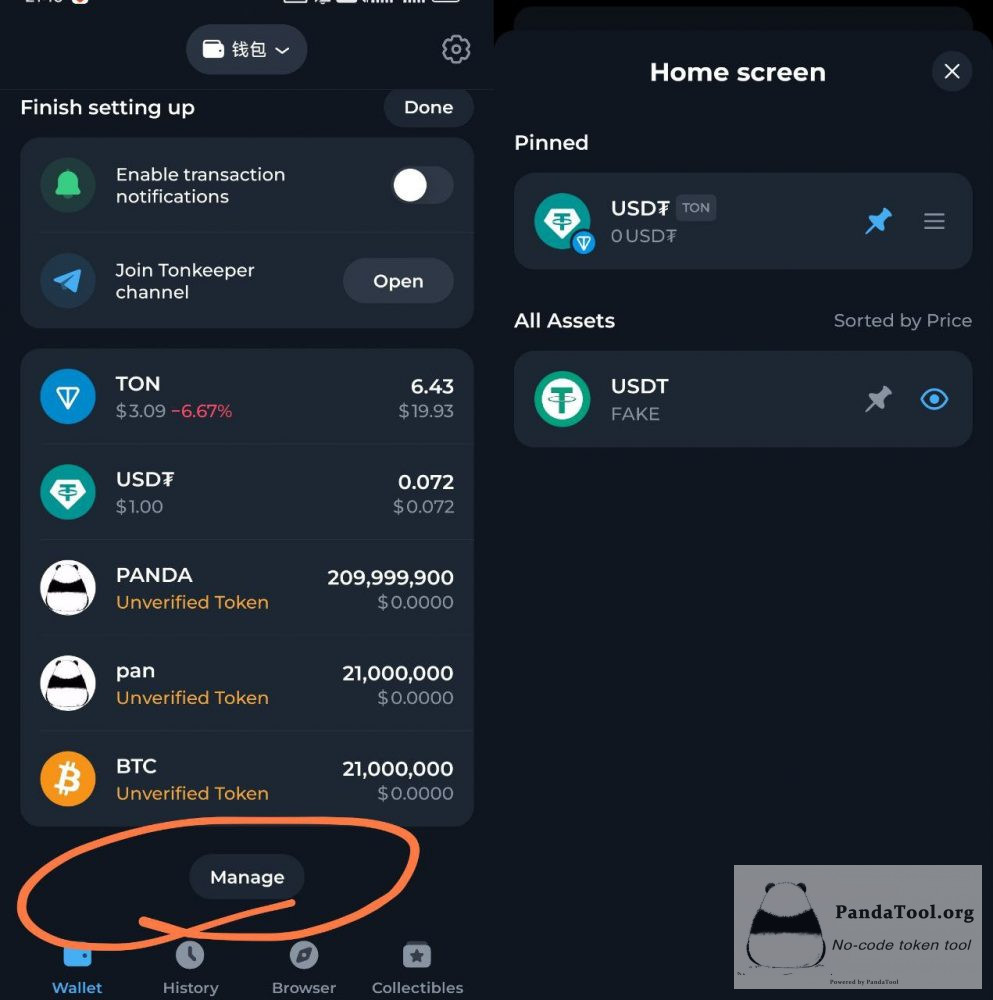
Tap Manage in your wallet, then tap the 👁️ icon to restore hidden tokens.
-
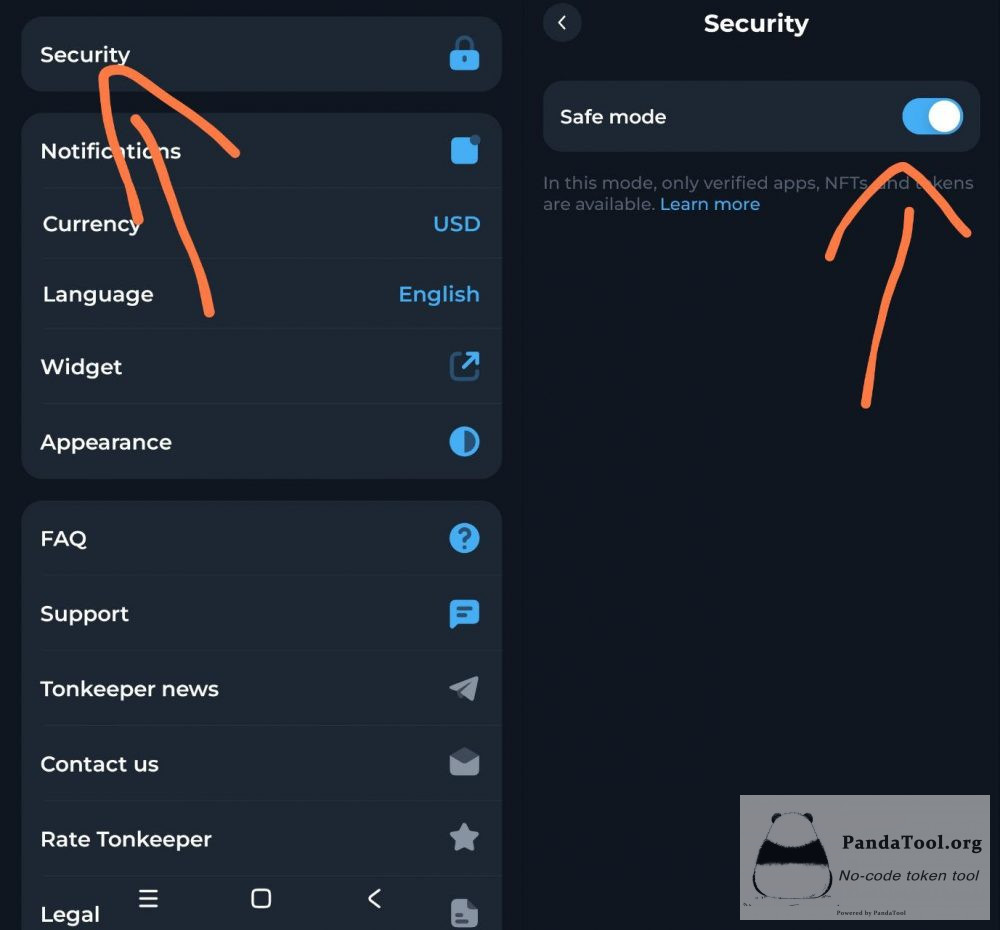
If no Manage button appears (Android only), disable Settings → Security → Safe Mode.
-
-
Token Marked as “SCAM”
-
Check your token’s status on a block explorer like tonviewer.com.
-
If it’s safe, contact PandaTool support to appeal and restore visibility.
-
Two appeal methods:
-
Appeal through the Telegram bot: https://t.me/tonviewer_support_bot
-
Appeal by email: support@tonviewer.com
If none of the above can solve your problem, please contact PandaTool volunteers to solve it: https://t.me/pandatool_en
1 year ago -
